Live Session
Agent Browser 的实时查看(live view)功能允许你实时查看和控制浏览器会话。具体而言,实时查看功能包括在任意活动浏览器会话中进行查看、点击、输入和滚动操作。因此,你可以轻松地监控自动化流程、调试自动化脚本,并在浏览器会话中手动介入。
在 Scrapeless 中,你可以在两个位置查看或控制浏览器会话:playground 和 session 管理界面。
使用方法
创建 Scrapeless 浏览器会话
首先,你需要创建一个会话。有两种方式可以实现:
通过 Playground 创建会话

通过 API 创建会话
你也可以使用我们的 API 来创建会话。请参阅 API 文档:Agent Browser API Docs。我们的 session 功能将帮助你管理该会话,其中包括实时查看功能。
const { Scrapeless } = require('@scrapeless-ai/sdk');
const puppeteer =require('puppeteer-core');
const client = new Scrapeless({ apiKey: 'API Key' });

// custom fingerprint
const fingerprint = {
    platform: 'Windows',
}

// Create browser session and get WebSocket endpoint
const { browserWSEndpoint } = client.browser.create({
    sessionName: 'sdk_test',
    sessionTTL: 180,
    proxyCountry: 'US',
    sessionRecording: true,
    fingerprint,
});

(async () => {
    const browser = await puppeteer.connect({browserWSEndpoint});
    const page = await browser.newPage();

    await page.goto('https://www.scrapeless.com');
    await new Promise(res => setTimeout(res, 3000));

    await page.goto('https://www.google.com');
    await new Promise(res => setTimeout(res, 3000));

    await page.goto('https://www.youtube.com');
    await new Promise(res => setTimeout(res, 3000));

    await browser.close();
})();查看 Live Session
在 Scrapeless 的 session 管理界面中,你可以轻松地查看实时会话。同样有两种查看方式:
实时查看 Playground 会话
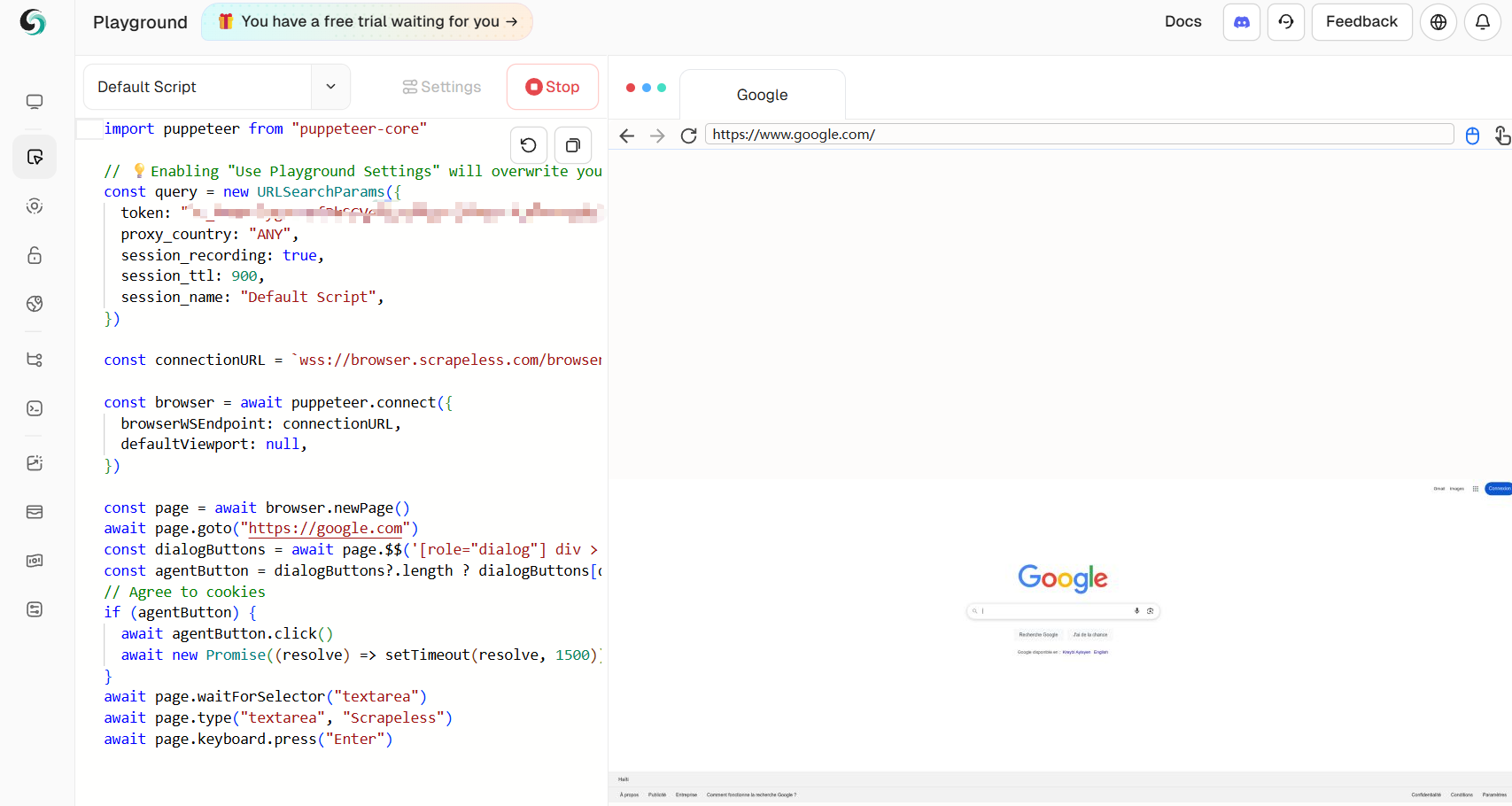
在 playground 中创建会话后,你可以在右侧实时看到浏览器的运行情况。
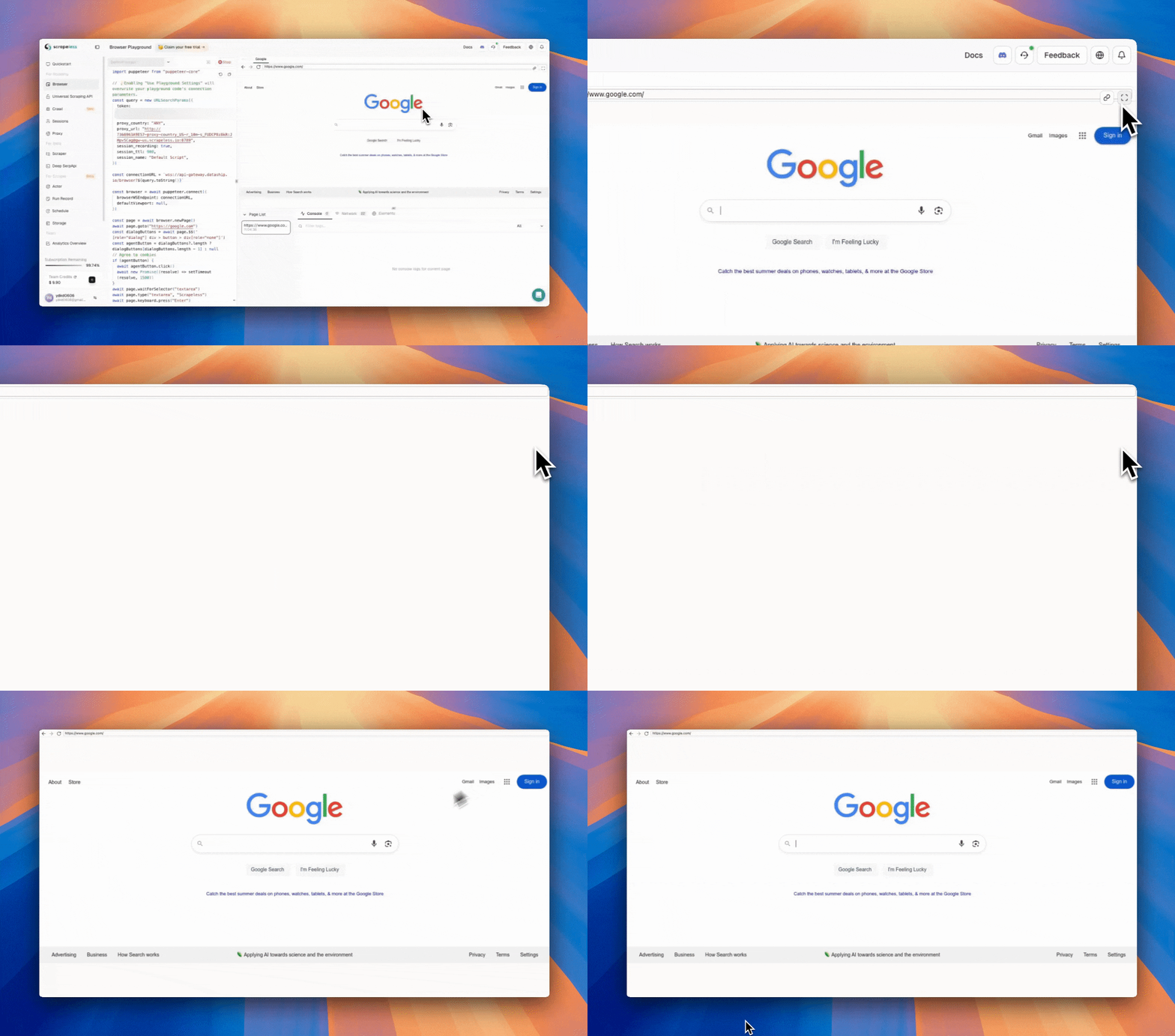
除了嵌入在 Playground 内的实时视图外,你还可以在浏览器标签页中即时打开实时会话。只需点击实时视图面板右上角的 ‘Open Live URL’ 图标即可。
实时查看 API 会话
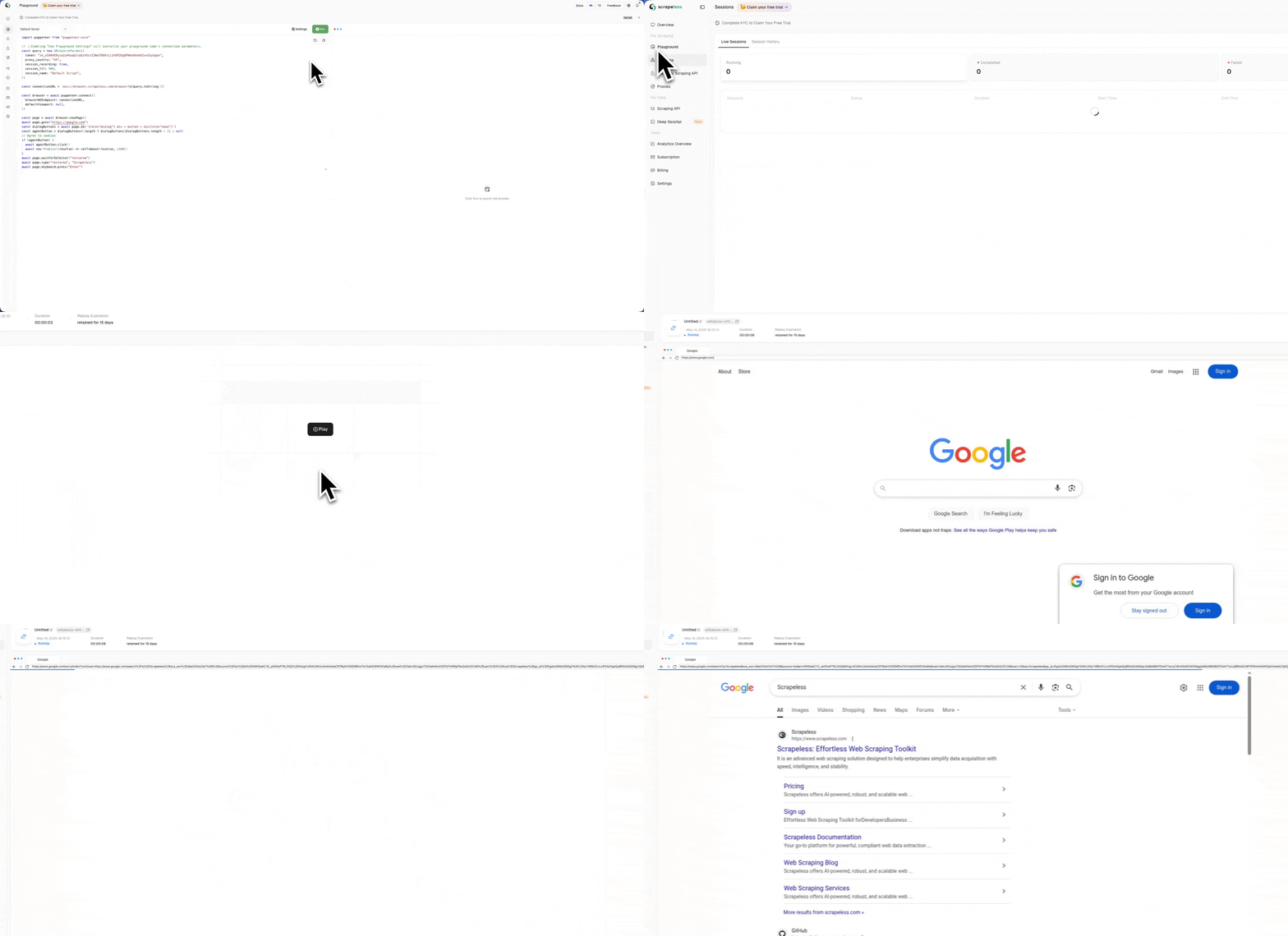
通过 API 创建会话后,你可以在 session 页面看到正在运行的会话列表。点击 Action 详情即可实时预览浏览器的操作。在这里你可以选择就地查看实时会话,或复制会话 URL 来查看实时会话。我们提供了两段操作视频供你参考。
就地展示
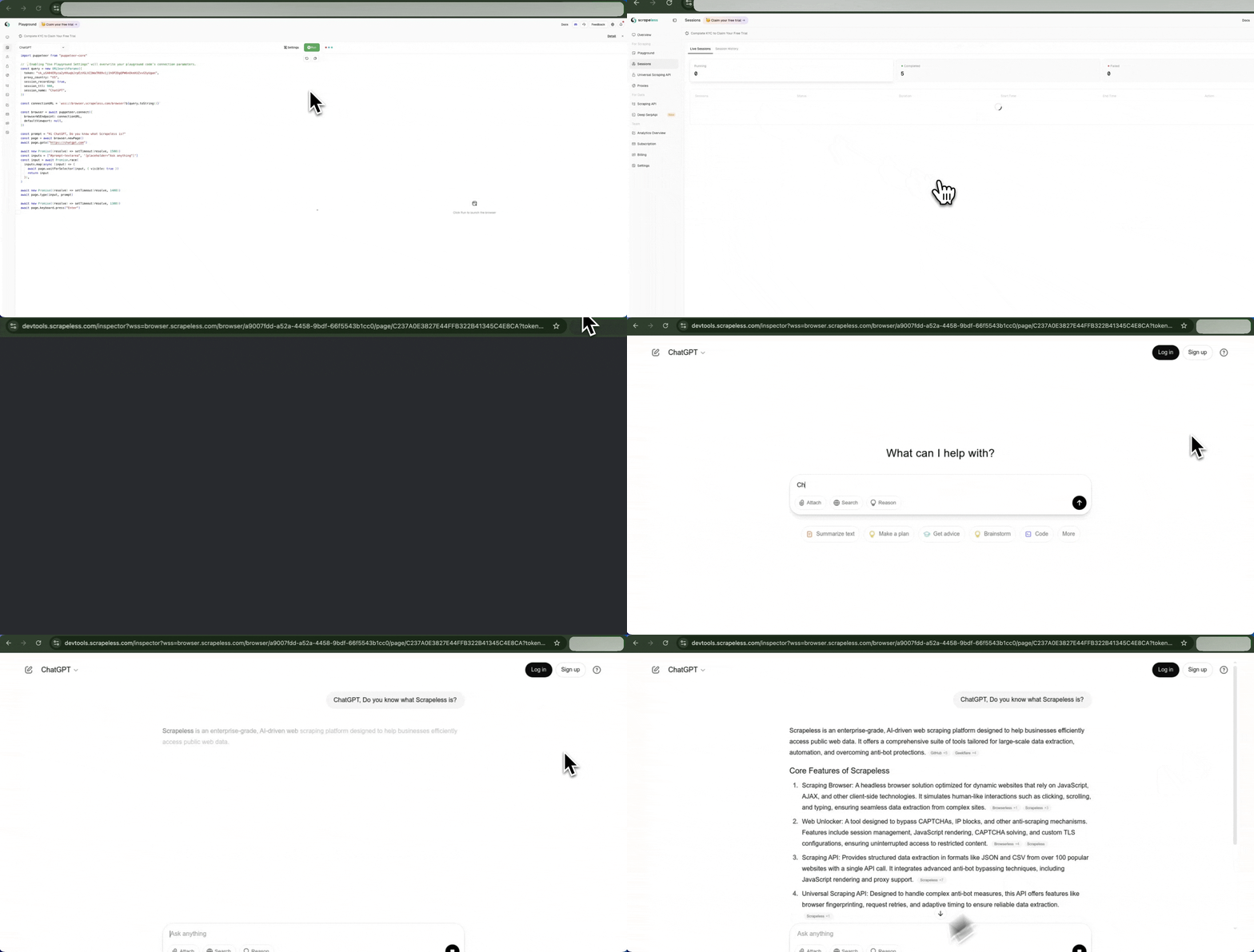
通过网站获取 Live URL
你可以从正在运行的会话列表中复制 Live URL,并将其粘贴到浏览器中直接访问。
通过 API 获取 Live URL
你可以通过调用 API 来获取 Live URL。在以下代码示例中,我们首先使用 Running Sessions API 获取当前所有正在运行的会话,然后使用 Live URL API 获取特定会话的 Live URL:
const API_CONFIG = {
    host: 'https://api.scrapeless.com',
    headers: {
        'x-api-token': 'API Key',
        'Content-Type': 'application/json'
    }
};

const requestOptions = {
    method: 'GET',
    headers: new Headers(API_CONFIG.headers)
};

async function fetchBrowserSessions() {
    try {
        // Fetch running browser sessions
        const sessionResponse = await fetch(`${API_CONFIG.host}/browser/running`, requestOptions);

        if (!sessionResponse.ok) {
            throw new Error(`failed to fetch sessions: ${sessionResponse.status} ${sessionResponse.statusText}`);
        }

        const sessionResult = await sessionResponse.json();

        // Process sessions data
        const sessions = sessionResult.data;
        if (!sessions || !Array.isArray(sessions) || sessions.length === 0) {
            console.log("no active browser sessions found");
            return;
        }

        // Get first session task ID
        const taskId = sessions[0]?.taskId;
        if (!taskId) {
            console.log("task id not found in the session data");
            return;
        }

        // Fetch live URL for the task
        await fetchLiveUrl(taskId);
    } catch (error) {
        console.error("error fetching browser sessions:", error.message);
    }
}

async function fetchLiveUrl(taskId) {
    try {
        const liveResponse = await fetch(`${API_CONFIG.host}/browser/${taskId}/live`, requestOptions);

        if (!liveResponse.ok) {
            throw new Error(`failed to fetch live url: ${liveResponse.status} ${liveResponse.statusText}`);
        }

        const liveResult = await liveResponse.json();
        if (liveResult && liveResult.data) {
            console.log(`taskId: ${taskId}`);
            console.log(`liveUrl: ${liveResult.data}`);
        } else {
            console.log("no live url data available for this task");
        }
    } catch (error) {
        console.error(`error fetching live url for task ${taskId}:`, error.message);
    }
}

fetchBrowserSessions().then(r => { });通过 CDP 获取 Live URL
要在代码运行期间获取 Live Url,请调用 cdp 命令 Agent.liveURL:
const { Puppeteer, log as Log } = require('@scrapeless-ai/sdk');
const logger = Log.withPrefix('puppeteer-example');

(async () => {
    const browser = await Puppeteer.connect({
        sessionName: 'sdk_test',
        sessionTTL: 180,
        proxyCountry: 'US',
        sessionRecording: true,
        defaultViewport: null
    });

    const page = await browser.newPage();
    await page.goto('https://www.scrapeless.com');
    const { error, liveURL } = await page.liveURL();
    if (error) {
      logger.error('Failed to get current page URL:', error);
    } else {
      logger.info('Current page URL:', liveURL);
    }
    await browser.close();
})();