Integrations
Code
curl --proxy host:port --proxy-user username:password API_URL
Browser
Note:
When using the SDK to generate proxies, you don’t need to explicitly specify username and password. You only need to focus on the generated proxy connection URL.
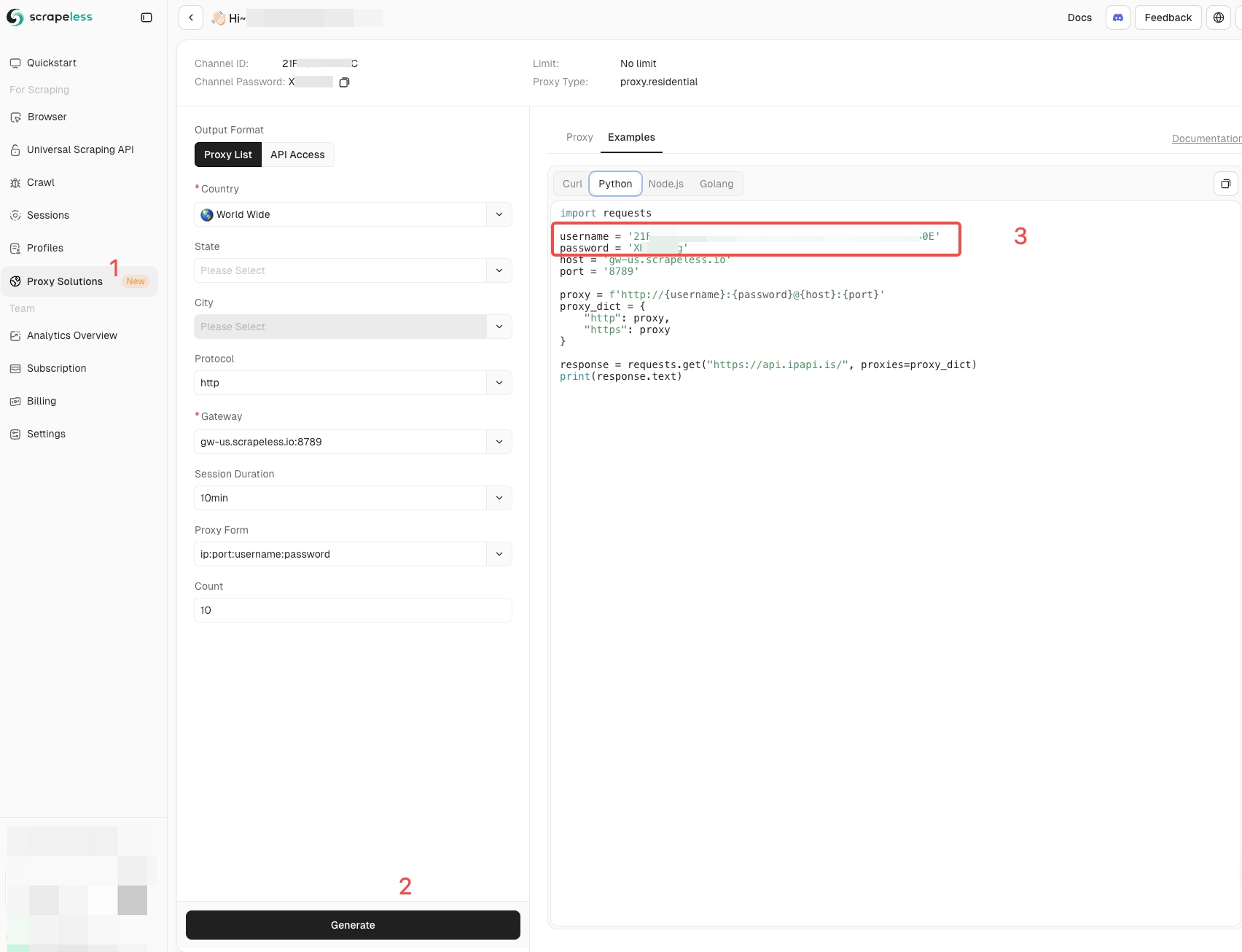
When using Scrapeless custom proxies, you can refer to the screenshot below to obtain your username and password. If you are using third-party proxies, you need to provide the corresponding parameters including your proxyUrl.
import { Scrapeless } from '@scrapeless-ai/sdk';
import puppeteer from 'puppeteer-core';
const client = new Scrapeless({
apiKey: 'YOUR_API_KEY',
});
(async () => {
const proxyUrl = client.proxies.proxy({
  country: 'US',
  sessionDuration: 30,
  sessionId: 'test-session-123',
  gateway: 'gw-us.scrapeless.com:8789',
  type: 'residential' | 'ipv6' | 'datacenter'
});
const { browserWSEndpoint } = await client.browser.create({
  sessionName: 'sessionName',
  sessionTTL: 180,
  proxyCountry: 'US',
  proxyURL: proxyUrl,
  sessionRecording: true,
  defaultViewport: null,
});
const browser = await puppeteer.connect({
  browserWSEndpoint: browserWSEndpoint,
});
const page = await browser.newPage();
await page.goto('API_URL');
await browser.close();
})();