Live Session
Tính năng xem trực tiếp (live view) của Agent Browser cho phép bạn xem và điều khiển các phiên trình duyệt theo thời gian thực. Cụ thể, tính năng live view bao gồm việc xem, nhấp chuột, gõ phím và cuộn trong bất kỳ phiên trình duyệt đang hoạt động nào. Nhờ đó, bạn có thể dễ dàng giám sát các quy trình tự động, gỡ lỗi các script tự động hóa và can thiệp thủ công vào các phiên trình duyệt.
Trong Scrapeless, bạn có thể xem hoặc điều khiển các phiên trình duyệt ở hai nơi: giao diện playground và giao diện quản lý session.
Cách Sử Dụng
Tạo Một Phiên Scrapeless Browser
Trước tiên, bạn cần tạo một phiên. Có hai cách để thực hiện điều này:
Tạo Phiên Qua Playground

Tạo Phiên Qua API
Bạn cũng có thể sử dụng API của chúng tôi để tạo một phiên. Tham khảo tài liệu API: Agent Browser API Docs. Tính năng session của chúng tôi sẽ giúp bạn quản lý phiên này, bao gồm cả chức năng live view.
const { Scrapeless } = require('@scrapeless-ai/sdk');
const puppeteer =require('puppeteer-core');
const client = new Scrapeless({ apiKey: 'API Key' });

// custom fingerprint
const fingerprint = {
    platform: 'Windows',
}

// Create browser session and get WebSocket endpoint
const { browserWSEndpoint } = client.browser.create({
    sessionName: 'sdk_test',
    sessionTTL: 180,
    proxyCountry: 'US',
    sessionRecording: true,
    fingerprint,
});

(async () => {
    const browser = await puppeteer.connect({browserWSEndpoint});
    const page = await browser.newPage();

    await page.goto('https://www.scrapeless.com');
    await new Promise(res => setTimeout(res, 3000));

    await page.goto('https://www.google.com');
    await new Promise(res => setTimeout(res, 3000));

    await page.goto('https://www.youtube.com');
    await new Promise(res => setTimeout(res, 3000));

    await browser.close();
})();Xem Live Session
Trong giao diện quản lý session của Scrapeless, bạn có thể dễ dàng xem các phiên trực tiếp. Cũng có hai cách để xem chúng:
Xem Phiên Playground Theo Thời Gian Thực
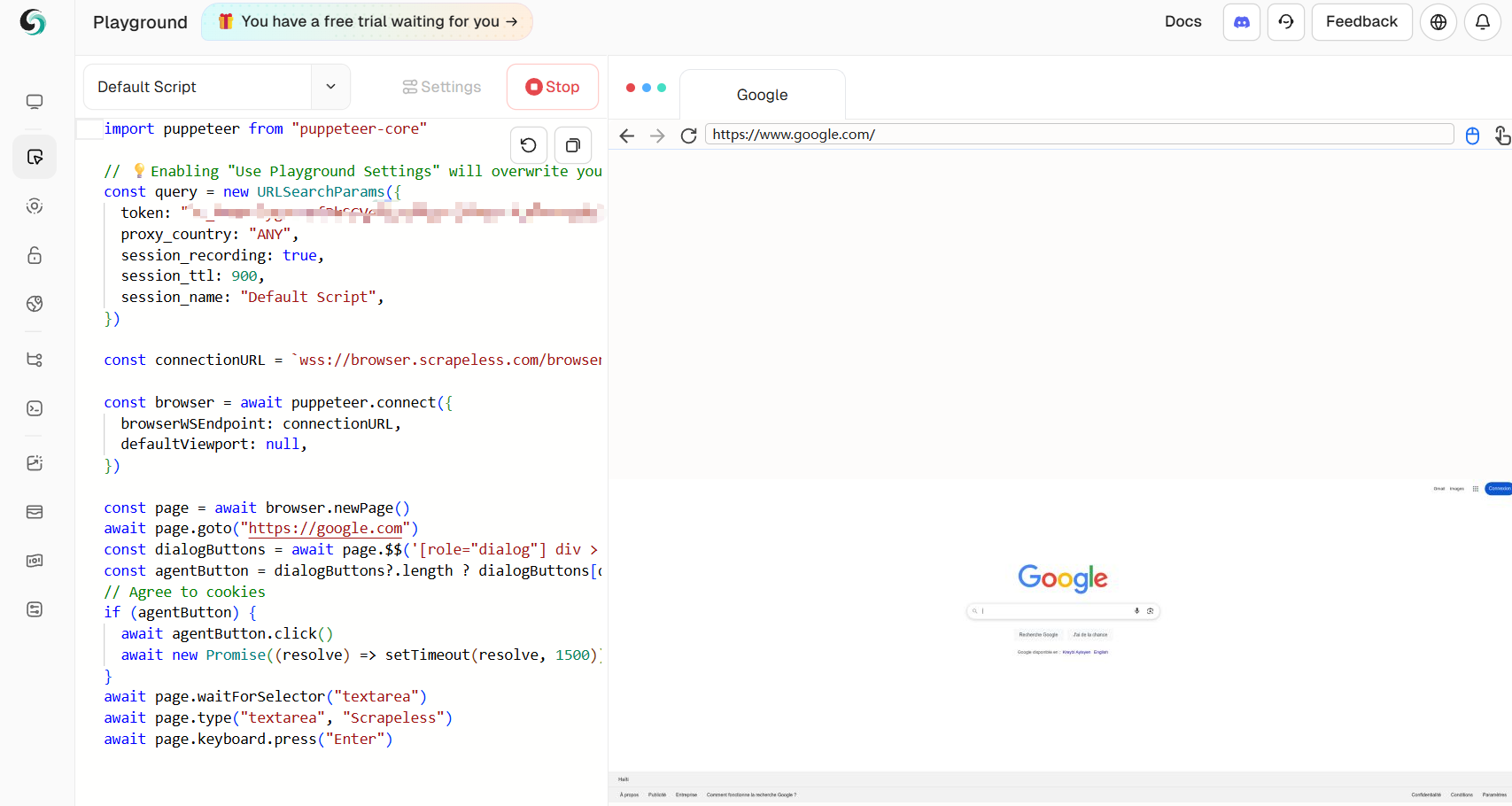
Sau khi tạo một phiên trong playground, bạn có thể thấy trình duyệt đang chạy theo thời gian thực ở phía bên phải.
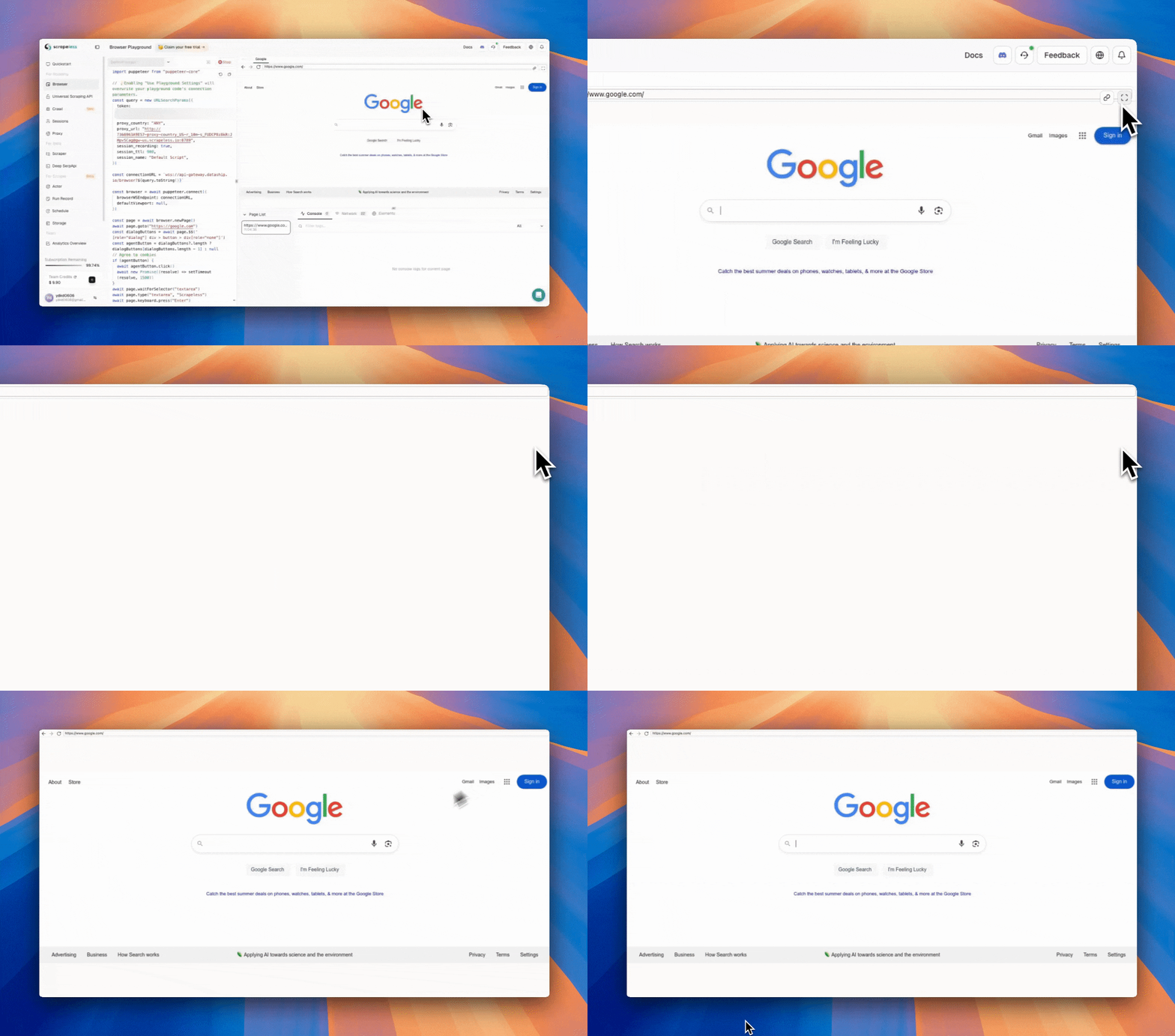
Ngoài chế độ xem thời gian thực được nhúng trong Playground, bạn cũng có thể ngay lập tức mở phiên trực tiếp trong một tab trình duyệt. Chỉ cần nhấp vào biểu tượng ‘Open Live URL’ nằm ở góc trên bên phải của bảng xem thời gian thực.
Xem Phiên API Theo Thời Gian Thực
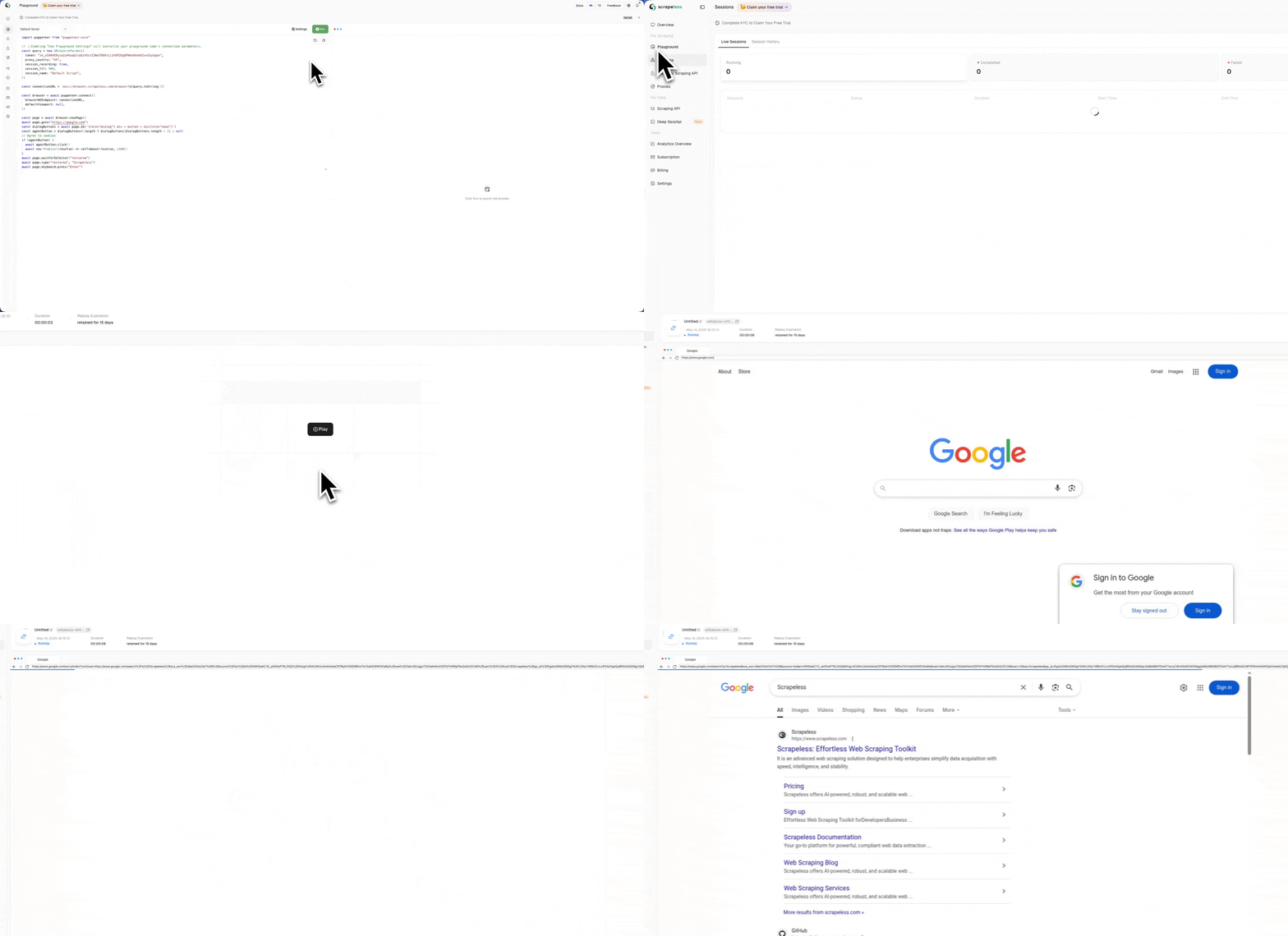
Sau khi tạo một phiên qua API, bạn có thể thấy danh sách các phiên đang chạy trên trang session. Nhấp vào chi tiết Action cho phép bạn xem trước hoạt động của trình duyệt theo thời gian thực. Tại đây bạn có thể chọn xem phiên trực tiếp ngay tại chỗ hoặc sao chép URL phiên để xem phiên trực tiếp. Chúng tôi cung cấp hai video thao tác để bạn tham khảo.
Hiển Thị Tại Chỗ
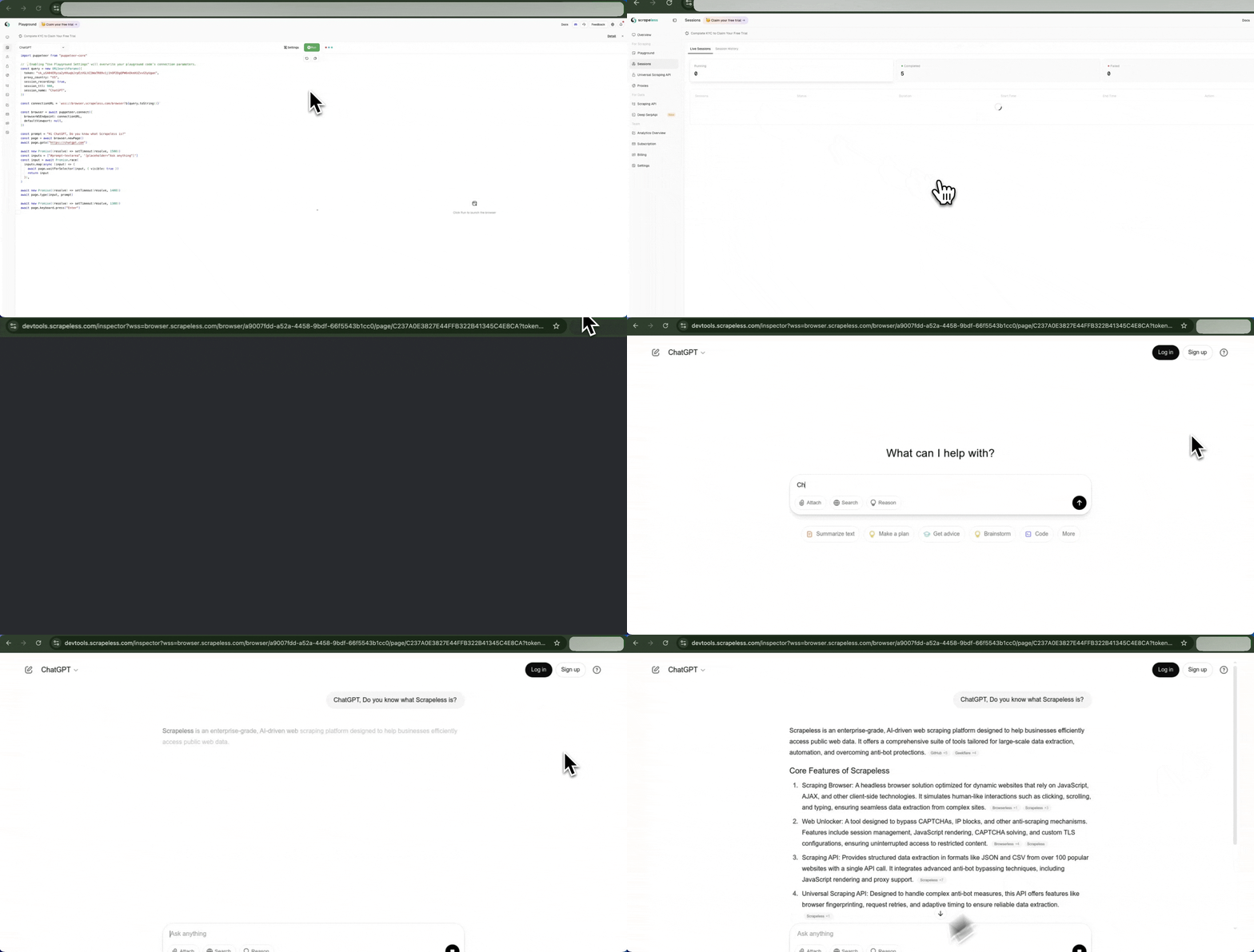
Lấy Live URL Qua Website
Bạn có thể sao chép Live URL từ danh sách các phiên đang chạy và dán nó vào trình duyệt để truy cập trực tiếp.
Lấy Live URL Qua API
Bạn có thể lấy Live URL bằng cách gọi API. Trong ví dụ mã sau, trước tiên chúng tôi lấy tất cả các phiên đang chạy hiện tại bằng Running Sessions API, sau đó truy xuất Live URL của một phiên cụ thể bằng Live URL API:
const API_CONFIG = {
    host: 'https://api.scrapeless.com',
    headers: {
        'x-api-token': 'API Key',
        'Content-Type': 'application/json'
    }
};

const requestOptions = {
    method: 'GET',
    headers: new Headers(API_CONFIG.headers)
};

async function fetchBrowserSessions() {
    try {
        // Fetch running browser sessions
        const sessionResponse = await fetch(`${API_CONFIG.host}/browser/running`, requestOptions);

        if (!sessionResponse.ok) {
            throw new Error(`failed to fetch sessions: ${sessionResponse.status} ${sessionResponse.statusText}`);
        }

        const sessionResult = await sessionResponse.json();

        // Process sessions data
        const sessions = sessionResult.data;
        if (!sessions || !Array.isArray(sessions) || sessions.length === 0) {
            console.log("no active browser sessions found");
            return;
        }

        // Get first session task ID
        const taskId = sessions[0]?.taskId;
        if (!taskId) {
            console.log("task id not found in the session data");
            return;
        }

        // Fetch live URL for the task
        await fetchLiveUrl(taskId);
    } catch (error) {
        console.error("error fetching browser sessions:", error.message);
    }
}

async function fetchLiveUrl(taskId) {
    try {
        const liveResponse = await fetch(`${API_CONFIG.host}/browser/${taskId}/live`, requestOptions);

        if (!liveResponse.ok) {
            throw new Error(`failed to fetch live url: ${liveResponse.status} ${liveResponse.statusText}`);
        }

        const liveResult = await liveResponse.json();
        if (liveResult && liveResult.data) {
            console.log(`taskId: ${taskId}`);
            console.log(`liveUrl: ${liveResult.data}`);
        } else {
            console.log("no live url data available for this task");
        }
    } catch (error) {
        console.error(`error fetching live url for task ${taskId}:`, error.message);
    }
}

fetchBrowserSessions().then(r => { });Lấy Live URL Qua CDP
để lấy Live Url trong khi mã của bạn đang chạy, hãy gọi lệnh cdp Agent.liveURL:
const { Puppeteer, log as Log } = require('@scrapeless-ai/sdk');
const logger = Log.withPrefix('puppeteer-example');

(async () => {
    const browser = await Puppeteer.connect({
        sessionName: 'sdk_test',
        sessionTTL: 180,
        proxyCountry: 'US',
        sessionRecording: true,
        defaultViewport: null
    });

    const page = await browser.newPage();
    await page.goto('https://www.scrapeless.com');
    const { error, liveURL } = await page.liveURL();
    if (error) {
      logger.error('Failed to get current page URL:', error);
    } else {
      logger.info('Current page URL:', liveURL);
    }
    await browser.close();
})();